Incident reports in 45 seconds. Not 45 minutes.
Made for North Carolina licensed child care centers and family child care homes. No more writing incident reports by hand. A teacher says what happened, and Incident Ally fills the official DCDEE form, gets the staff and parent signatures, logs it, and emails it to you. English or Spanish.

- The official DCDEE form
- English and Spanish
- Parents sign on any phone
- Made in North Carolina
- for a teacher to file a report
- ~45 sec
- for a teacher to file a report
- forms filled out by hand
- 0
- forms filled out by hand
- the official DCDEE form
- 100%
- the official DCDEE form
What used to take hours now takes seconds
The old way
- 1 Find the right form (and a pen that works)
- 2 Write it out between diaper changes
- 3 Rewrite it because it is messy or missing a box
- 4 Wait for the director to review it
- 5 Catch the parent at pickup for a signature
- 6 Copy it, file it, add it to the log
- 7 Remember to mail the consultant within 7 days
- 8 Hunt for it when the consultant visits
⏱ Hours of staff time, across a week of hand-offs
With Incident Ally
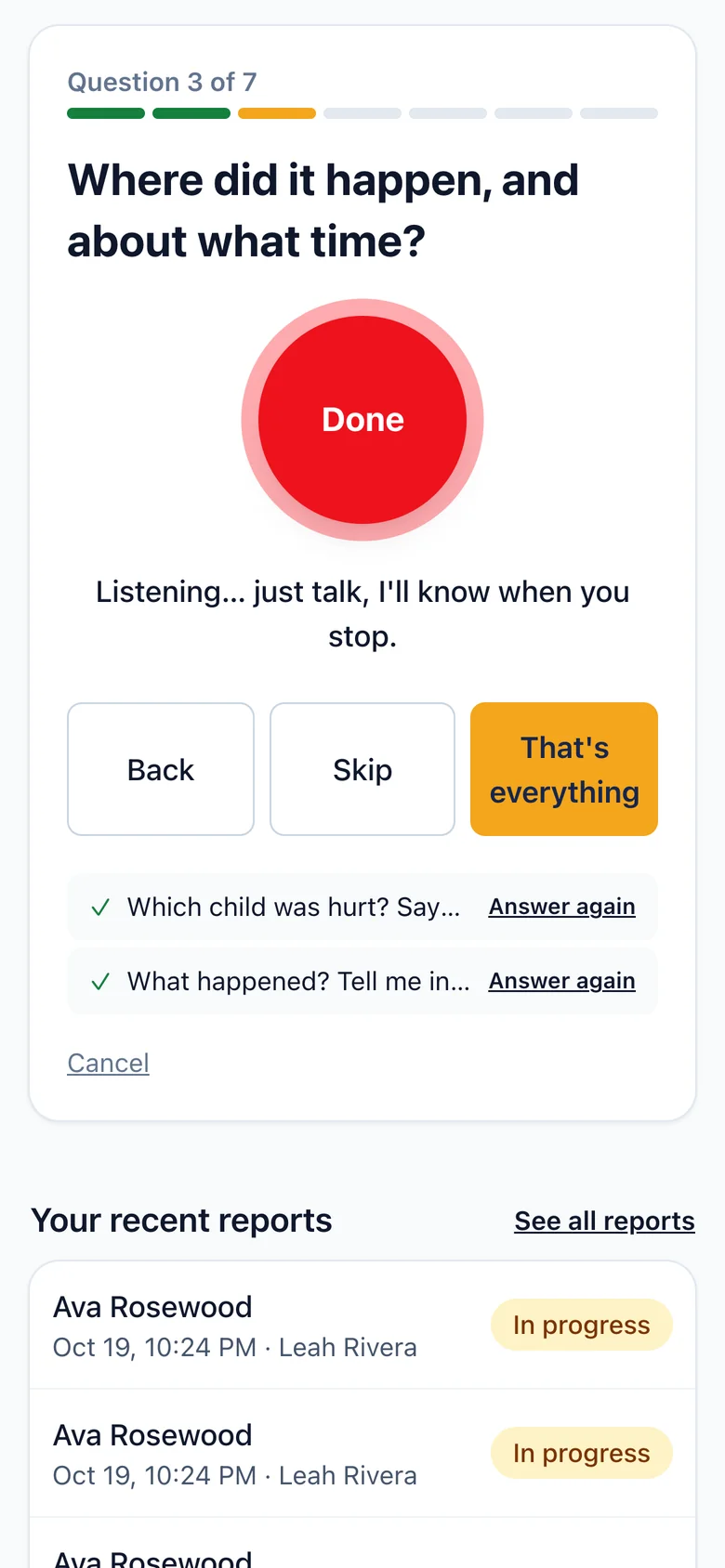
- Say what happened, in English or Spanish
- Answer a question if something was missed
- Sign with your finger
- Parent signs on their phone
- Filed, logged and emailed to the director, automatically
⚡ About 45 seconds of a teacher's time
From the playground to the file in three steps
-
1
Talk it through
Tap Start. Incident Ally asks a few short questions out loud and listens to each answer. Hands full? Just talk. Prefer typing? Type.
-
2
Check it
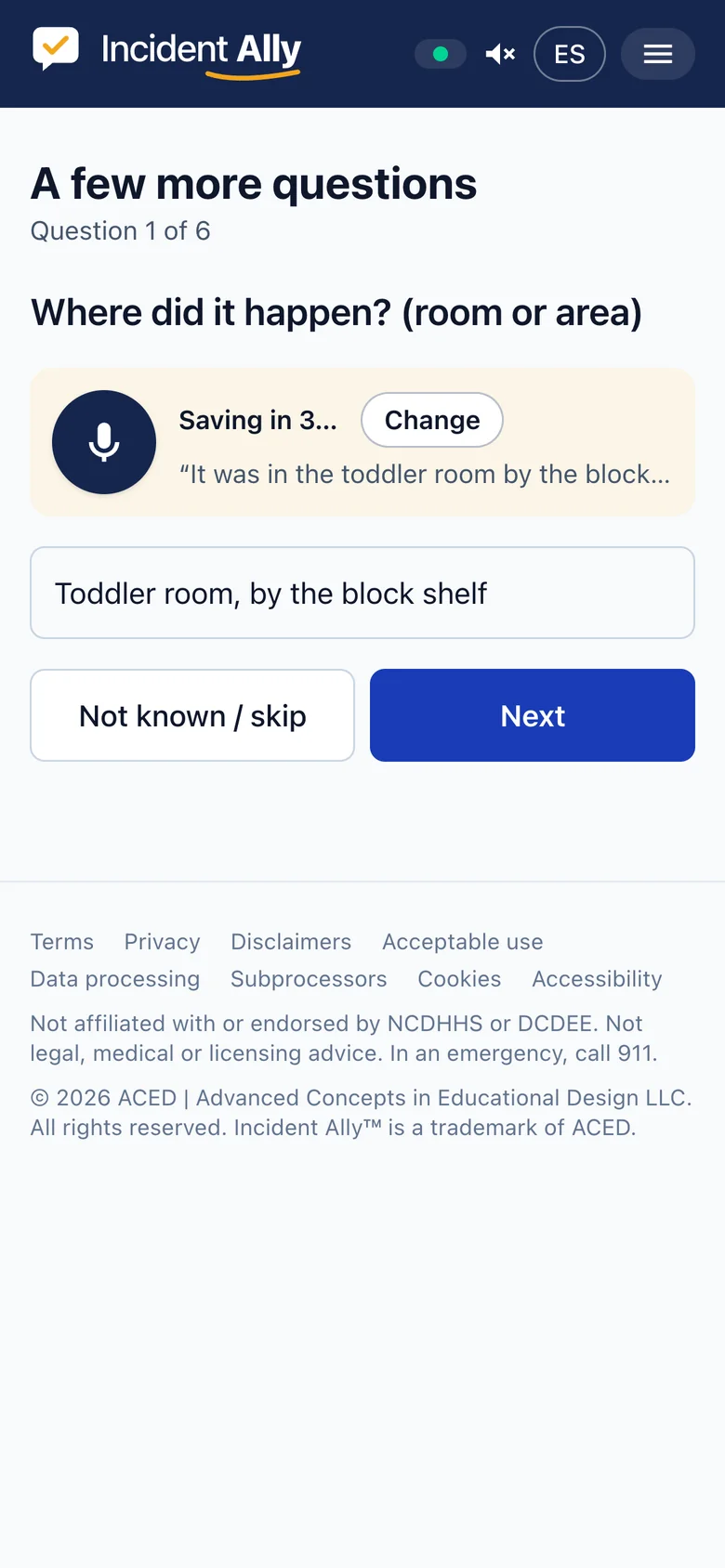
Every box on the state form is filled from your own words. Anything missing gets one quick question, and you see the answer before it saves.
-
3
Sign it
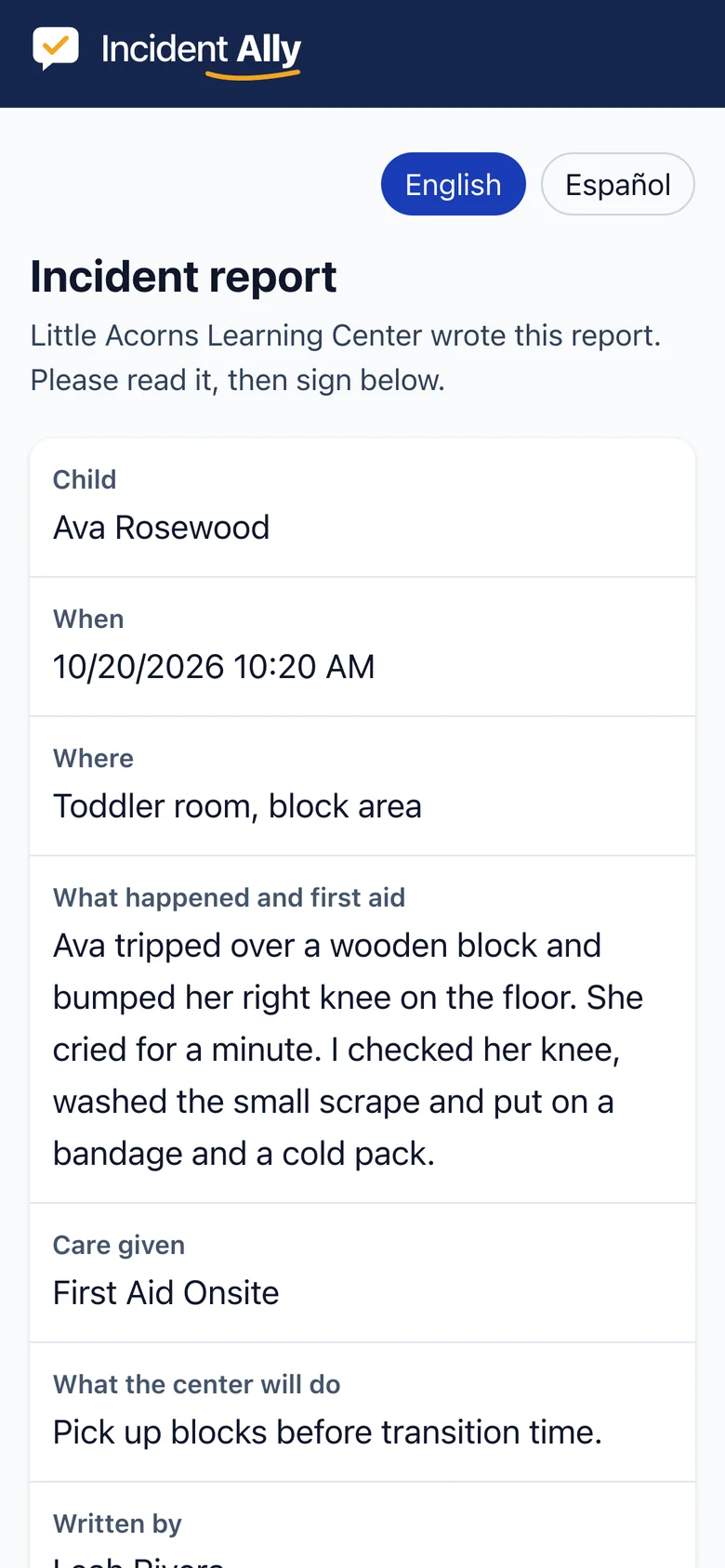
You sign with your finger. The parent signs on your phone, by QR code or from an email, in English or Spanish. Done.

Care for the child first. We will handle the paperwork.
After a bump or a bite, your teachers belong with the children, not at a clipboard. Incident Ally lets them file the report out loud in under a minute, then get back to the room.
- Hands-free: the app asks, the teacher answers
- Nothing is guessed: missing details are asked, never made up
- Works in English and Spanish, even offline until the signal comes back
The real state form, not a look-alike
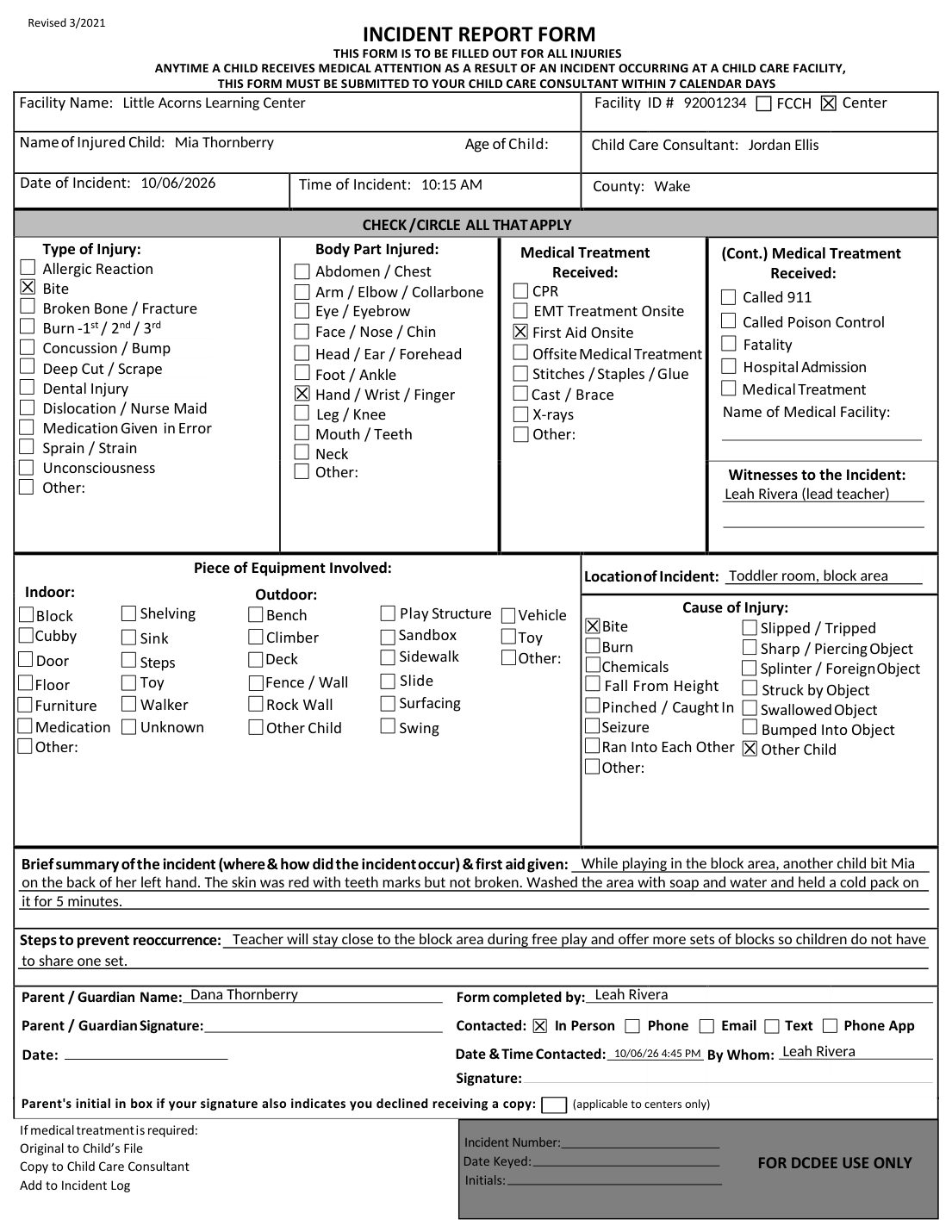
Incident Ally fills the North Carolina DCDEE Incident Report Form exactly as the state publishes it: every checkbox, every line, both signatures. Long stories continue on an attached page, just like you would do by hand.
- Every checkbox and line on the official form
- Signatures on the signature lines, with a signature record page
- Prints cleanly on any office printer
Directors see everything, without chasing anyone
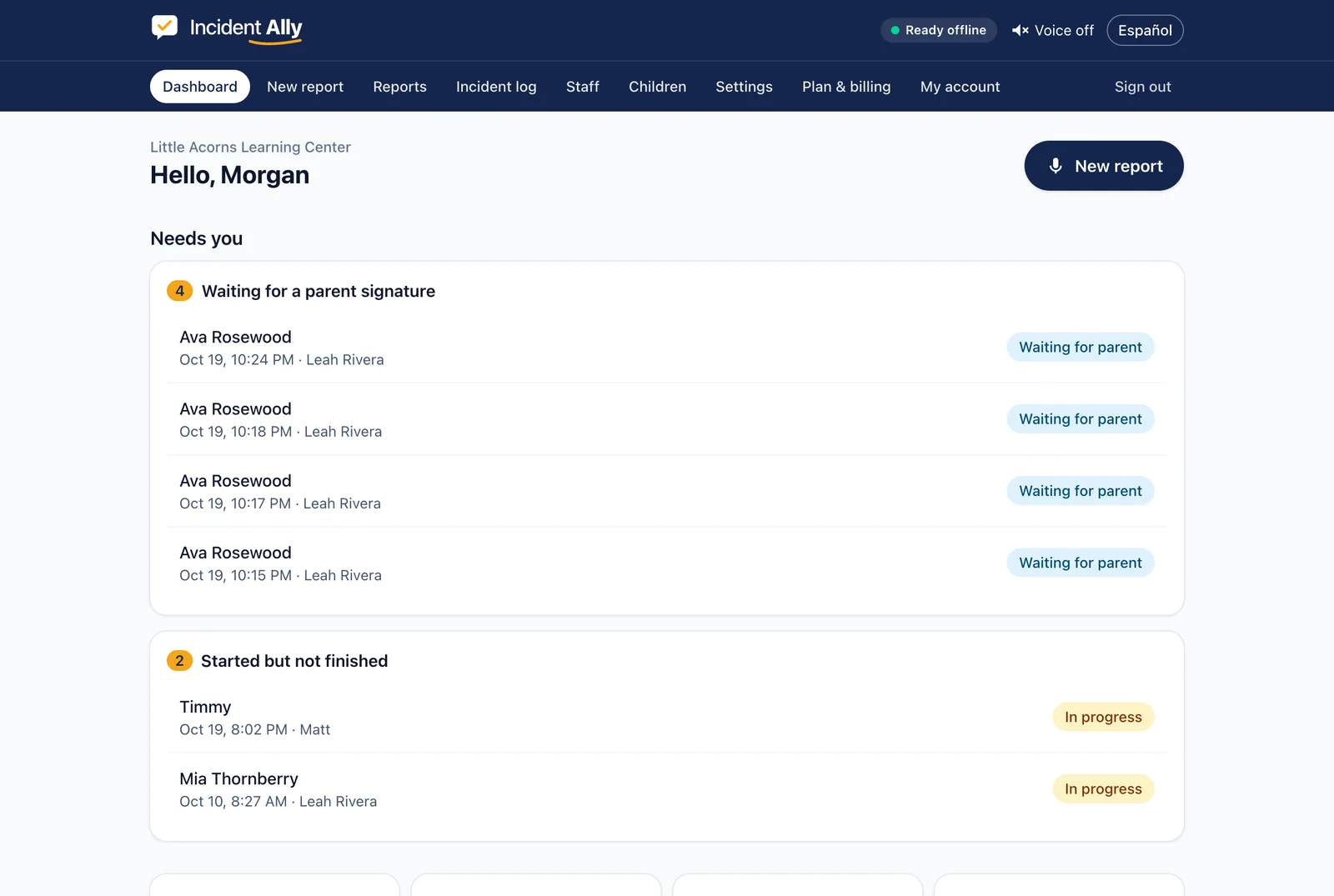
Your dashboard shows what needs you right now: reports waiting for your approval or a parent signature, and consultant copies with the days left to send them. Your incident log is always complete and ready to print.
- A full incident log, kept even after reports are cleared
- Search every report by child or staff member
- 7-day consultant copies tracked with a countdown
- Your staff, your children list, your settings


Parents sign in seconds, in their language
At pickup, hand the parent your phone, or let them scan a QR code. They read a plain summary in English or Spanish and sign with a finger. They get their copy by email, on paper, or initial that they declined, just as the rules require.

Made for family child care homes too
Running a home program means you are the teacher, the director and the office. Incident Ally has a Home plan built for that, and it follows the home rules, like always giving the parent a copy.
Everything the rules ask for, handled
Not just the form. The whole job, start to finish.
The official form
Every box and line of the DCDEE Incident Report Form, filled in correctly.
Both signatures
Staff and parent sign electronically, with a signature record attached.
Parent copy
Emailed, printed, or declined with initials, following the center and home rules.
Incident log
Every report adds its line to your log automatically.
7-day consultant copy
Flagged with the due date when a health professional treated the child; sent in one tap.
English and Spanish
Teachers speak and read in either language; parents get a Spanish summary.
Nothing made up
Every detail comes from your teacher's own words. Missing details are asked, never guessed.
Safety first
911 and abuse-reporting reminders up front; alerts for medication errors and serious injuries.
Built by child care owners who have done this by hand
We have run child care programs. We have filled out these forms at nap time, chased signatures at pickup, and dug through binders the morning of a visit. We know how much incident paperwork stinks. So we built the app we always wished we had: fast for teachers, calm for directors, and right by the rules.
Simple pricing by the size of your program
Every feature on every plan. Unlimited staff. Unlimited reports. Spanish included.
Based on your licensed capacity. Your first report is free, no credit card. Three or more sites? We will put together a group price.
Your records stay yours
- The signed PDF goes to your inbox. That is your record, under your control.
- Voice recordings are deleted the moment they are turned into text.
- Report details are removed from Incident Ally 30 days after signing (you choose the window). Your incident log is kept.
- Children's names and reports are encrypted. Other children are never named on a report.
Coming next
- → Inspection binder: every report and your log in one PDF
- → Medication error report and emergency drill log
- → Import your children from Brightwheel, Procare and spreadsheets
Questions directors ask
What does "first report free" mean? +
Sign up, add your staff, and file one complete report: signatures, PDF, email and log, at no cost and with no card. If it saves you the hour we think it will, choose your plan.
How is my price set? +
By the licensed capacity on your license: Home for family child care homes, then Small, Medium and Large centers. Every plan has every feature, unlimited staff and unlimited reports.
Does it work outside North Carolina? +
Not yet. Incident Ally is built around North Carolina's rules: it fills the NC DCDEE Incident Report Form, keeps the NC incident log and tracks the 7-day consultant deadline. If you run a program in another state, leave your email at the bottom of this page and we will tell you when your state is added.
Is Incident Ally approved by the state? +
The state does not approve software for incident reports. Incident Ally fills the official DCDEE Incident Report Form exactly as published, so what you file is the state's own form.
Are electronic signatures allowed? +
North Carolina law gives electronic signatures the same weight as signatures on paper (G.S. 66-317), and child care records may be kept as PDFs. Every report includes a signature record showing who signed, how and when.
Do parents need an app or an account? +
No. Parents sign on your phone, by scanning a QR code, or from a link in their email. Nothing to install.
What if a teacher would rather type? +
Typing works on every screen. The microphone is there when your hands are full.
Does it work for family child care homes? +
Yes. Homes have their own plan, and the app follows the home rules, such as always giving the parent a copy.
How long does setup take? +
A few minutes: your facility details, your staff, and your children if you like. You can also skip the children and just say names.
Not ready yet? Stay in the loop.
Get a sample filled form and a short email when something useful ships. About once a month.
One-click unsubscribe in every email. See our Privacy Policy.

Your next incident report can take one minute.
File your first report free →Your first report is on us. No credit card.